
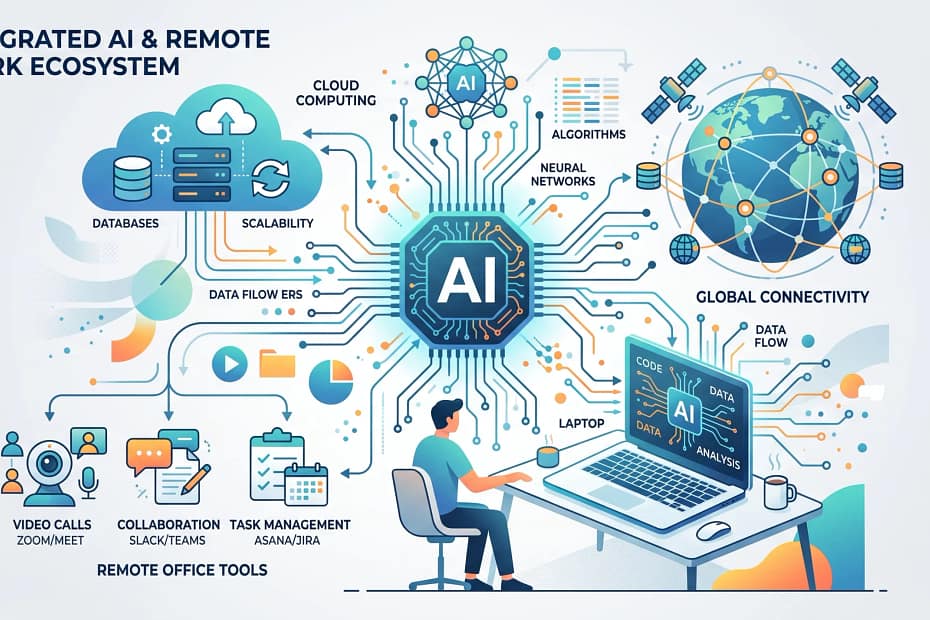
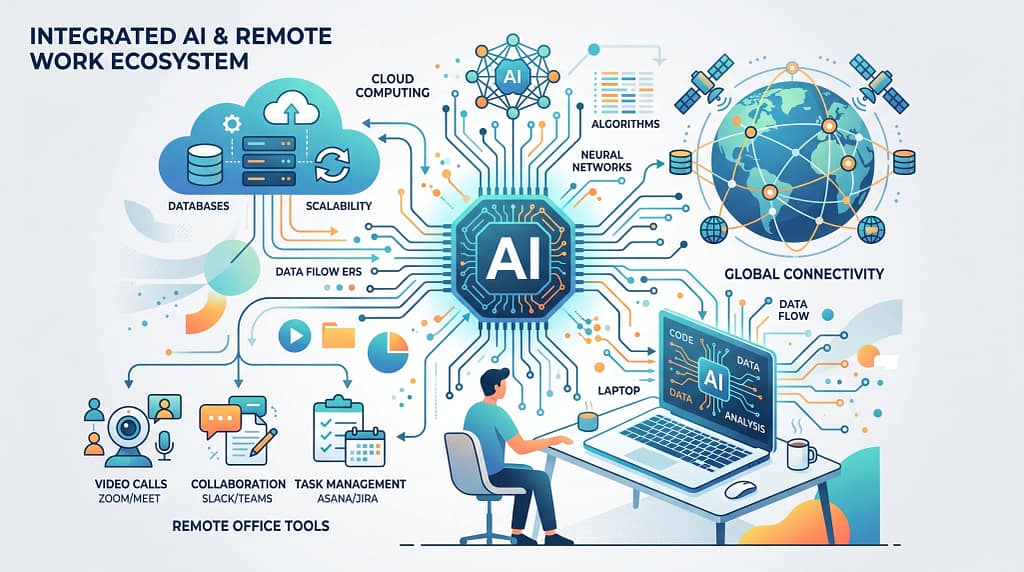
AI Impact On Remote Work Scalability
AI has completely reshaped how I see remote work and the way teams can grow beyond traditional boundaries. From smart automation to tailored analytics, artificial intelligence keeps pushing the limits for what’s possible when working from anywhere. In this article, I’ll explain how AI helps remote work scale up, the main tools and practical strategies I’ve found useful, plus some of the challenges you might face, and ways to work through them.
How AI Drives Remote Work Scalability?
Remote work isn’t just a trend. It’s become the way many businesses operate globally. I’ve noticed that AI makes working at a distance much smoother by simplifying repetitive tasks, improving communication, and making it easier to hire and support employees around the world. Companies can quickly add or reduce team members without needing a big investment in traditional office space. Tools based on AI, like automated scheduling assistants and workflow platforms, help everyone stay productive and connected wherever they are.
AI technologies in remote work go beyond video calls. They include chatbots for help desks, systems that automatically monitor workloads and project deadlines, and platforms that recommend online training suited to each employee. Even smaller businesses like mine have started using these tools to keep up with client needs and project timelines.
According to a recent report from McKinsey, over 50% of businesses now use some form of AI in their remote teams. The ability to operate at scale without losing personal connections really helps organizations respond to changes in demand and keep employees engaged. As AI is now integrated into many daily work practices, teams can respond faster to challenges and spot opportunities that would have taken days or weeks to recognize without digital support tools.
Key AI Tools Enabling Remote Team Growth ?
The right tools make a huge difference when it comes to scaling remote operations. Here are some of the AIpowered solutions I use and recommend:
- AIPowered Communication Platforms: These services, like Slack and Microsoft Teams, use AI for real-time translation, smart message routing, and even context-aware reminders. This helps everyone stay in the loop and move past language barriers.
- Automated Project Management: AI apps can prioritize tasks, flag possible slowdowns, and automatically assign work to the next available team member. This really supports larger teams working across different time zones.
- Smart Recruitment Tools: AI can sort through thousands of job applications, schedule interviews, and even recommend the best candidates. I save hours every hiring cycle by letting software shortlist resumes and select interview slots.
- Virtual Assistants: Calendar scheduling bots, email filtering, and meeting transcriptions powered by AI quickly handle small but time-consuming chores. This allows remote teams to focus on more creative or complex projects.
- Performance and Wellness Monitors: Tools like Time Doctor use AI to analyze productivity, recommend personalized breaks, and offer reminders for healthy work habits, which supports sustainable growth as remote organizations expand.
These solutions help make daily workflows more efficient and relieve some of the strain that can come from managing dispersed teams. Whether you’re part of a startup or an established organization, these AI tools can cut down on manual labor and encourage smarter use of everyone’s time.
Build an AI-Ready Remote Work Strategy
Implementing AI in remote workflows takes careful planning, but it doesn’t need to be complicated. I recommend following these practical steps for better results:
- Assess Workflow Gaps: Identify time-consuming or repetitive tasks that can be automated. Start small with email sorting or calendar management and move up from there.
- Choose EasytoIntegrate Tools: Go for AI solutions that blend seamlessly with your current setup, like Google Workspace or Office 365. This avoids confusion and saves on team training.
- Train Your Team: Set up regular training on how to use AI features built into your core platforms. This helps everyone feel comfortable using automation on a daily basis.
- Monitor Progress and Feedback: Use AI analytics to track the impact of these tools, such as time saved or productivity growth. I’ve found regular feedback sessions keep everyone on board and reveal areas for adjusting AI tool settings.
- Stay Flexible: AI tools are always getting better, so keeping an open mind about updates and new features is super important. Encourage curiosity rather than fear around automation.
By mapping out your workflow and introducing AI in stages, you can gently ease your team into the shift. It also helps to set basic goals—like reducing meeting times or speeding up approval processes—to measure improvements. Tracking progress with AI-generated reports has been especially useful for seeing whether automations are really giving a boost or if changes need to be made.
Troubleshoot Common AI Challenges in Remote Work
No technology is perfect, and I’ve run into a few hurdles when using AI in remote work environments. Here are some common issues you may face, along with my strategies to manage them:
- Data Privacy Concerns: Storing sensitive employee and client data on cloud-based AI platforms can worry some business owners. I address this by opting for providers with strict security standards and making sure everyone uses strong, unique passwords. Protecting sensitive data sometimes means working closely with IT experts and educating your team about the basics of privacy and cybersecurity.
- Over-Reliance on Automation: Sometimes AI can make mistakes interpreting context or tone, especially with chatbots. It helps to assign a human point of contact for critical communications and to review AI-generated messages or reports. Keeping people in the loop not only reduces misunderstandings but also ensures your business maintains a personal touch.
- Bias in Recruitment Algorithms: AI tools for hiring may accidentally favor or exclude candidates if they’re trained with biased data. Periodic audits of AI recruiting tools, plus manual reviews of shortlists, help ensure fair hiring. Encouraging diverse hiring panels can also provide extra balance during the process.
- Integration Hiccups: Connecting multiple AI tools can cause delays or errors between different platforms. My solution has been to test integrations one step at a time and standardize on just a few providers whenever possible. Smaller-scale tests before full rollouts help smooth the way and keep workflow interruptions to a minimum.
- Keeping Up With Updates: AI tools roll out new features regularly, which can confuse users. Scheduling monthly update briefings and updating training resources helps everyone stay up-to-date. Clear guides and video tutorials can also make learning new features a lot easier for team members who feel less comfortable with technology.
Strong Data Practices Matter
I always keep a close eye on how team data is handled, especially with so many remote team members logging in from around the world. Using encrypted connections and making sure AI platforms follow local privacy laws, such as GDPR, is really important for building trust with both employees and customers. If you want more details on secure remote work strategies, check out CSO Online.
Support Team Wellness at Scale
Remote work can blur the lines between life and work, which is why I pay attention to AIpowered wellness platforms. These services remind team members to take breaks, track workload, and even offer virtual mental health resources. Over time, I’ve noticed fewer sick days and more consistent productivity when wellness is built into the workday through smart reminders and regular check-ins. Some platforms even provide gentle nudges to stand up or stretch, helping teams maintain good habits even when working apart.
Advanced AI Applications for Global Teams
For teams looking to expand quickly across countries or time zones, AI offers tools that simplify more advanced remote operations:
- Natural Language Processing (NLP): AI can automatically translate chats, documents, and presentations in real time. This makes collaborating across borders much easier without needing dedicated translators. Real-time translation can cut down on back-and-forths during meetings and make everyone feel included, no matter what language they speak.
- Predictive Analytics for Resource Planning: AI can spot patterns in team productivity and predict where to add new hires or switch resources. This supports smarter decisions about when and how to grow the team. For example, AI can alert you if a department is overloaded before it becomes a crisis, letting you quickly rebalance the workload.
- Smart Knowledge Management: AI can automatically organize files, sort emails, and suggest relevant documents for different projects. As my team grew, this feature made it easy to keep information accessible for everyone, no matter how quickly new members joined. AI-supported search also cuts down on wasted time hunting for critical documents.
- Virtual Onboarding and Training: AIpowered learning platforms adapt tutorials to each employee’s pace and skill level, making onboarding faster and less overwhelming for new remote staff. These platforms can identify which topics someone is struggling with and offer extra help, so every new team member ramps up confidently and quickly.
I’ve seen these smart tools speed things up for fast-growing startups and large enterprises alike. They limit confusion and cut down on manual training, so more team members get up to speed quickly, allowing businesses to meet new opportunities without skipping a beat.
Real-World Uses? How Remote Teams Scale with AI?
In real terms, here are a few scenarios I’ve personally witnessed where AI made it possible to grow a remote team successfully:
- Supporting Global Customer Service: AI chatbots handle the bulk of support questions day and night, freeing up human agents to focus on more complex inquiries. This means a small support team can effectively support thousands of users worldwide.
- Streamlining Project Delivery: Automated tools alert team leads about possible project delays or resource shortages, so adjustments can be made before issues grow. I’ve avoided long hours and missed deadlines just by setting up proactive alerts and dashboards.
- Automating Routine HR Tasks: AI manages vacation requests, payroll data, and even wellbeing surveys. This reduces paperwork and helps HR staff focus on employee growth and training instead of repetitive admin work.
From my own consulting work, I have seen businesses that used to struggle with onboarding multiple employees at once now handle those waves seamlessly. Smart training platforms, AI-supported chatbots, and automated calendars reduce the administrative overload that often slows down team growth. Even managers who once spent hours each week scheduling meetings or chasing documents now have more time for big-picture planning.
Frequently Asked Questions
Here are some questions I often hear about AI in remote work, answered with my own experience:
Question: What’s the easiest way to get started with AI in remote work?
Answer: I suggest starting with tools that are already part of your daily workflow, like AI meeting schedulers or smart document suggestions in Google Docs and Slack. Look for options with lots of tutorials and support. As your team grows comfortable, you can then add more advanced features or platforms.
Question: Can AI really help my team grow without hiring more managers?
Answer: Yes, I’ve seen AI handle scheduling, reminders, and even some employee support, so existing managers spend more time coaching and making key decisions instead of managing small tasks. This allows companies to grow teams without immediately needing to add more management roles.
Question: Are there risks when I depend on AI for remote teams?
Answer: Like any tool, there can be risks such as miscommunication or data privacy issues. I keep things safe by having clear guidelines, reviewing critical AI-generated outputs, and choosing secure, reliable platforms. It’s also wise to provide a way for employees to report AI-related problems quickly so you can fix issues before they snowball.
Quick Recap: Key Points for Using AI to Grow Remote Teams
AI streamlines scaling by handling repetitive work, simplifying team communication, and making onboarding easier. Picking the right AI tools, staying flexible with tech updates, and prioritizing data privacy help my teams stay productive, without burning out or losing touch. If you’re aiming to grow your remote business efficiently, a few well-chosen AI solutions can transform your setup and support long-term success. Today’s AI can handle a surprising range of tasks, but as with any technology, your team’s engagement, feedback, and well-being are just as important for sustainable growth.
Brainstormer GPT

Your versatile creative ally!
Thank you for questions, shares and comments!
Share your thoughts or questions in the comments below!
Text with help of OpenAI’s GPT language models , Images with help of DALLE, openai chatbox, DALLE-2 , Fleeky & MI


